
Session Management
Introduction
Efficient session management is essential for any web application that involves user authentication and authorization. For an application like Invox Dictation that relies on a constant connection, proper session management is even more critical to ensure continuity of service and a successful user experience.
Preserving Session via Keep Alives
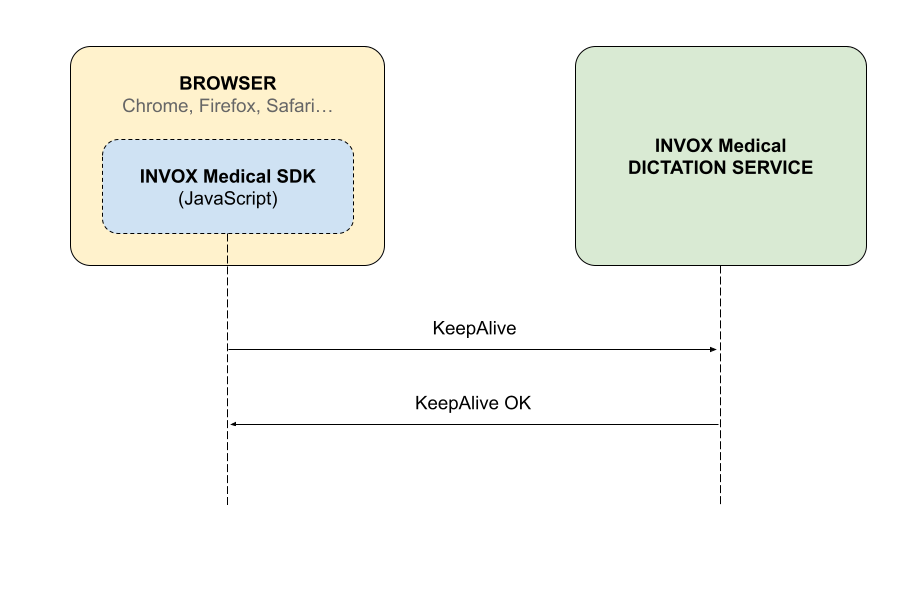
Invox Dictation uses a WebSocket session with Keep Alives to check that the link between the Invox Dictation SDK and the service is operating. Keep Alive messages are sent at regular 20-second intervals to confirm that the connection remains stable and detect potential network and service issues. The dictation service replies to confirm that it has received the keep alive message.
If for some reason the Invox Dictation SDK does not receive a response from the service after sending a Keep Alive message, it is assumed that the connection has been lost and the session is terminated. This ensures that the session is active only as long as the connection is stable.
Lost connection from browser
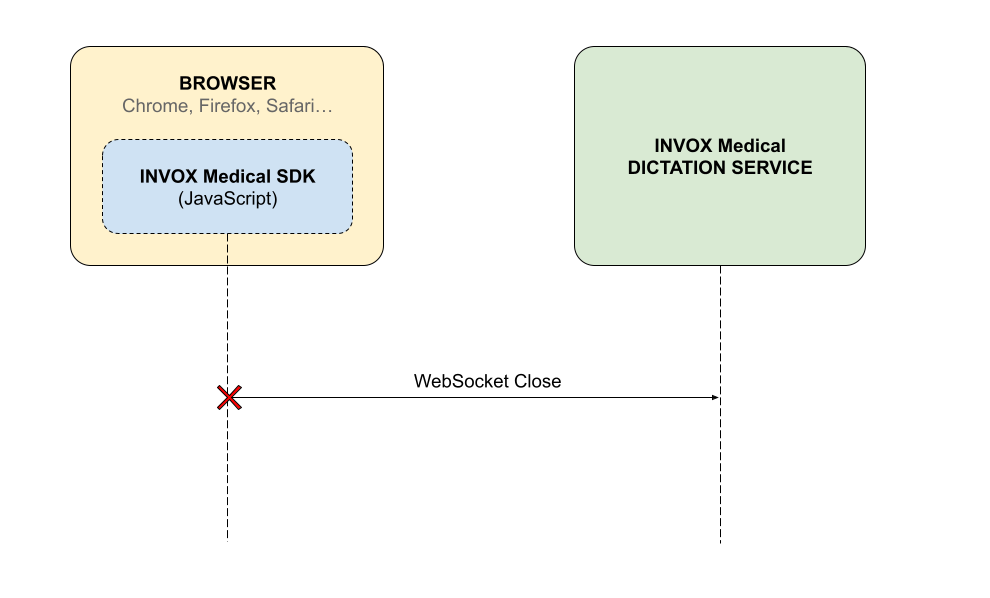
Under ideal conditions a user's session will remain active and stable until an explicit logout is performed. When the connection is unexpectedly lost from the browser side, the user is disconnected from the system and any task that depends on the active session is partially or completely interrupted.
Reasons a session can be interrupted from the browser include:
- Closing the browser tab or window during a session.
- Making several consecutive login attempts without logging out of the previous one.
- Loss of internet connection or disruption in the network connection.
After any of these interruptions the Dictation Service is responsible for invalidating the session, so that the user can log in again at another time.
Lost connection from Dictation Service
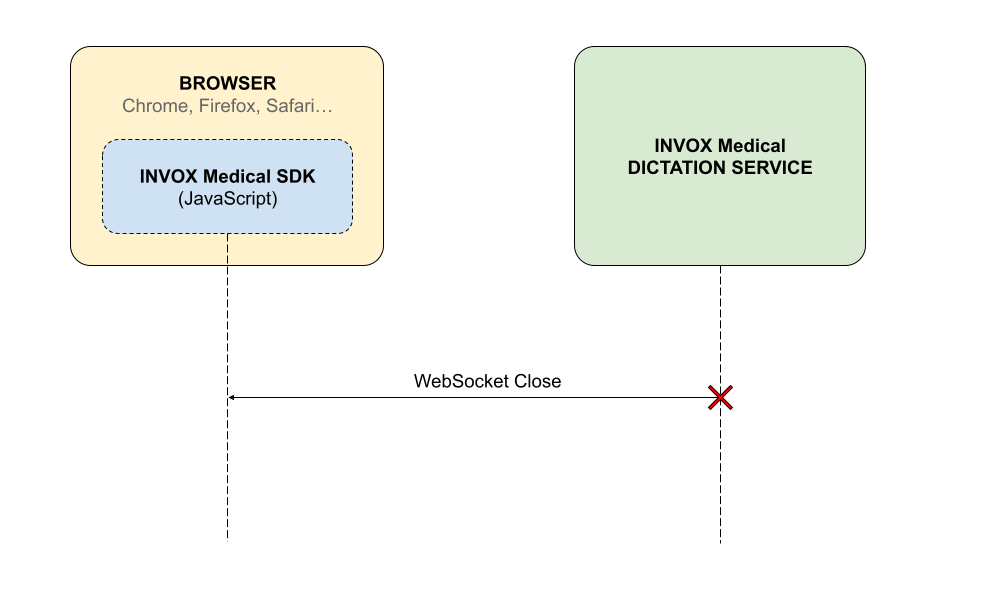
There are certain conditions that can cause the unexpected closure of the session and therefore disconnect the dictation service:
- Service restart or stop.
- Loss of internet connection or disruption in the network connection.
- Internal service issues that affect connectivity.
When an unexpected session closure occurs, Invox Dictation SDK captures the event and displays the error via the status bar. For example, in the case of the Dictation Bar Component, the functionality provided by this component is completely invalidated and you must log in again.
Reconnection to service
The only way to recover the interrupted session is to manually log in again using the Login method provided by the library. This login process should be done in the same way as the original login.
See the Reset component at runtime section of the Dictation Bar Component for an example of how to handle this programmatically in a Single Page Application.