
Test Components
Test Quick Integrations
Another possibility offered by Invox Dictation SDK is to use the Quick Integrations. The sample pages also demonstrate how to define the editor to use, for example CKEditor 4.
All of these components are implemented using the Invox Dictation API functions.
Integrate Components
Check how to include these components in your web application:
Set writing location
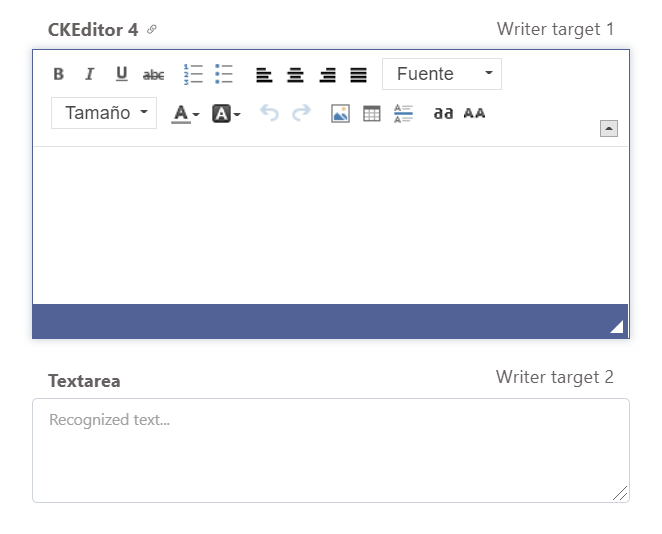
We must specify to Invox Dictation which is the editor to be able to view, edit or move through the recognized text.
Invox Dictation SDK provides the implementation of the TextWriter for TextAreas.
TextArea
The TextArea should use a unique identifier. The HTML code to create it is as follows:
<textarea id="invox-textarea" class="form-control" placeholder="Recognized text..."
    onfocus="OnClickTextArea(id)"></textarea>
Each time a text box is clicked, it will be set as the current WriterTarget:
let OnClickTextArea = function (id) {
    ChangeFocusToTextArea(id);
}

let ChangeFocusToTextArea = function(id) {
    try {
        INVOX.SetTextWriter(INVOX.TextAreaTextWriter);
        INVOX.SetWriterTarget(id);
    } catch(e) {
        console.error(e);
    }
}
Test Simple Components
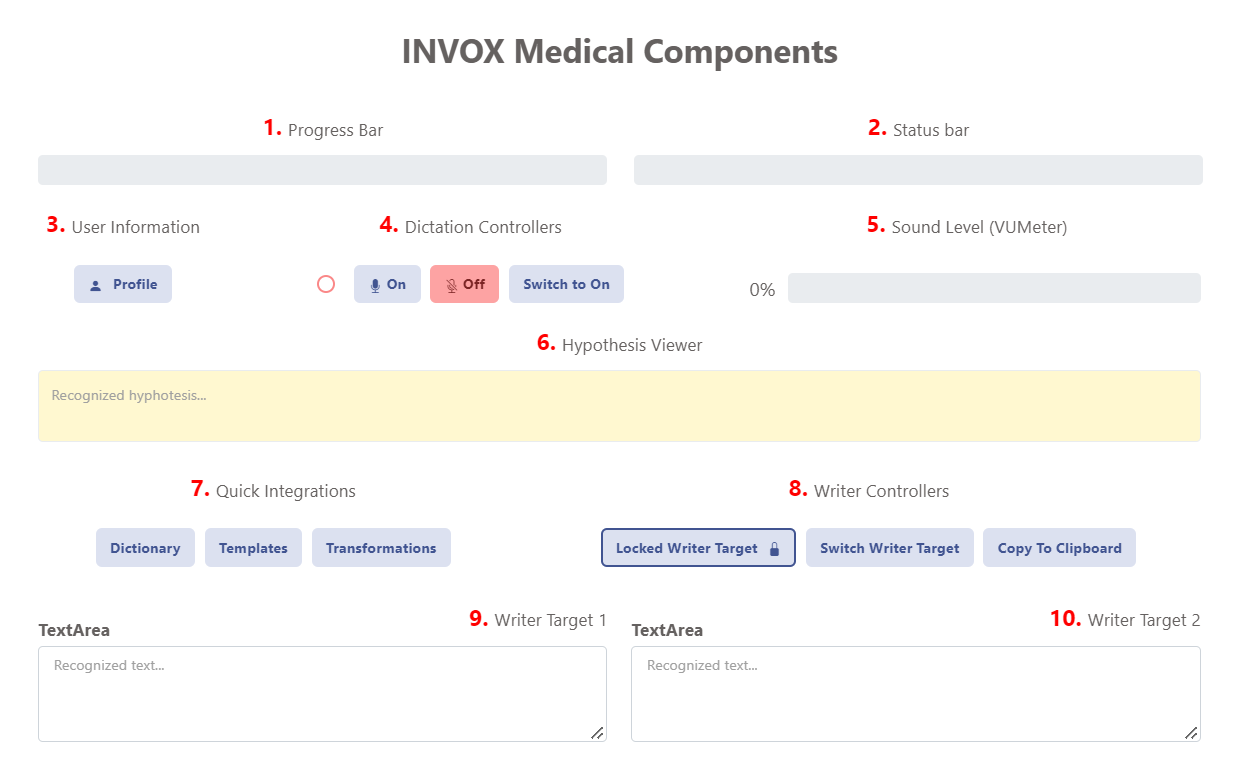
Invox Dictation SDK allows you to create your own web components to provide feedback to the user.
The available components in the test sample are:
- Progress Bar — Displays relative messages during the authentication process.
- Status Bar — Displays messages about the session status.
- User Profile — Modal window with the data of the currently active user.
- Speech Recognizer Controls:
- Dictation On Button — Start speech recognition.
- Dictation Off Button — Stop speech recognition.
- Dictation Switch Button — Toggle voice recognition status.
- Input Audio Level — Displays the audio level activity at all times.
- Hypothesis Viewer — Displays the hypotheses of recognised text during dictation.
- Quick Integrations — Dictionary, Templates, and Transformations dialog buttons.
- Writer Controllers — Focus control and other functions on the current WriterTarget:
- Lock/unlock writer target.
- Switch writer target.
- Copy to clipboard.
- Writer Target 1 — First writing destination.
- Writer Target 2 — Second writing destination (optional).
Create Writer controllers

The Writer controllers implement simple functions to manage the current WriterTarget:
// Lock the writer to the current target
INVOX.LockWriterTarget();

// Switch to a different writer target
INVOX.SetWriterTarget(targetElement);

// Copy current writer content to clipboard
navigator.clipboard.writeText(INVOX.GetText());