
Quick Start
Introduction
The Invox Dictation SDK offers essential functionalities for user authentication, speech recognition initiation and termination, and configuring the editor to display the results of speech recognition. For detailed information on these functions, please refer to the JavaScript API documentation.
This section will guide you through the development of the essential functionality required to establish a connection with the dictation service, perform dictation, and display the results in a text editor.
Integration Scenarios
Depending on your specific deployment needs, you have the flexibility to use either one or both services for testing and developing your integration. For more information on the available options, please refer to the Integration Scenarios section.
Folder Structure
The folder and file structure for this example is straightforward. Create a root folder named invox-quick-start that includes the following files:
.
|-- invox-quick-start/
    |-- opus/                 <- Opus Audio Library required for Remote Dictation Service
    |-- invox.min.js
    |-- index.html
- The crucial aspect is to have the
opus/folder and its content at the same level as theinvox.min.jsfile. Please remember to include this audio library in order to connect to the Remote Dictation Service. - The full code of this example will be located in the
index.htmlfile.
Full Code
The following code includes all the necessary components to execute the example:
<!DOCTYPE html>
<html lang="EN">
<head>
    <meta charset="UTF-8">
    <meta name="viewport" content="width=device-width, initial-scale=1, maximum-scale=1, user-scalable=no">
    <meta http-equiv='cache-control' content='no-cache'>
    <meta http-equiv='expires' content='0'>
    <meta http-equiv='pragma' content='no-cache'>

    <!-- Invox Dictation SDK-->
    <script type="text/javascript" src="invox.min.js" charset="UTF-8"></script>

    <!-- Bootstrap -->
    <link href="https://cdn.jsdelivr.net/npm/bootstrap@5.0.2/dist/css/bootstrap.min.css" rel="stylesheet" >
</head>
<body>
    <main class="m-2">
        <button class="btn btn-primary" onclick="DoLogin()">Login</button>
        <button class="btn btn-secondary" onclick="DoLogout()">Logout</button>
        <button class="btn btn-danger" onclick="SwitchDictation()">Switch Dictation</button>
        <textarea id="invox-textarea-1" class="form-control mt-2" placeholder="Recognized text..."></textarea>
    </main>
    <script>
        async function DoLogin() {
            const credentials = {
                user: "provided_username",
                password: "provided_password"
            }

            const connectToLocal = {
                host: "localhost",
                port: "8443",
                useDictationService: false
            }

            const connectToRemote = {
                host: "dev.invoxmedical.com/v2.8.3",
                port: "8443",
                useDictationService: true
            }

            try {
                await INVOX.Login(credentials, connectToLocal);
                INVOX.LogInfo("Local Dictation Service connected successfully.");
            } catch (error) {
                INVOX.LogWarn("Local Dictation Service not found. Trying to connect to Remote Dictation Service...");
                try {
                    await INVOX.Login(credentials, connectToRemote);
                    INVOX.LogInfo("Remote Dictation Service connected successfully.");
                } catch (error) {
                    INVOX.LogError("Remote Dictation Service not found. Make sure that connection parameters are correct.");
                }
            }
        }

        function DoLogout() {
            INVOX.Logout()
                .then(() => INVOX.LogInfo("Session closed successfully"))
                .catch((error) => INVOX.LogError(error.message))
        }

        function SwitchDictation() {
            try {
                INVOX.SwitchDictation()
            } catch(error) {
                INVOX.LogError(error.message)
            }
        }

        document.addEventListener(INVOX.eventTypeReport.LOGIN_ERROR, (event) => {
            INVOX.LogError(event.detail)
            alert(event.detail)
        })

        document.addEventListener(INVOX.eventTypeReport.LOGIN_SUCCESS, () => {
            INVOX.LogInfo(event.detail)
            try {
                INVOX.SetTextWriter(INVOX.TextAreaTextWriter)
                const textareaElement = document.getElementById("invox-textarea-1")
                INVOX.SetWriterTarget(textareaElement)
            } catch(error) {
                INVOX.LogError(error.message)
            }
        })

        document.addEventListener(INVOX.eventTypeReport.NOT_CUSTOMIZED_COMPONENTS, (event) => {
            INVOX.LogWarn(event.detail)
        })
    </script>
</body>
</html>
Installation
First, create a new project and install the SDK:
mkdir invox-quick-start
cd invox-quick-start
npm init -y
npm install @invox-medical-npm/invox-dictation
Folder Structure
The folder and file structure for this example is straightforward:
.
|-- invox-quick-start/
    |-- node_modules/
    |-- package.json
    |-- index.html
The full code of this example will be located in the index.html file.
Full Code
The following code includes all the necessary components to execute the example:
<!DOCTYPE html>
<html lang="EN">
<head>
    <meta charset="UTF-8">
    <meta name="viewport" content="width=device-width, initial-scale=1, maximum-scale=1, user-scalable=no">
    <meta http-equiv='cache-control' content='no-cache'>
    <meta http-equiv='expires' content='0'>
    <meta http-equiv='pragma' content='no-cache'>

    <!-- Bootstrap -->
    <link href="https://cdn.jsdelivr.net/npm/bootstrap@5.0.2/dist/css/bootstrap.min.css" rel="stylesheet" >
    <script type="module">
        import INVOX from "@invox-medical-npm/invox-dictation";

        window.INVOX = INVOX;

        async function DoLogin() {
            const credentials = {
                user: "provided_username",
                password: "provided_password"
            }

            const connectToRemote = {
                host: "invox-sd-v2.invoxmedical.com",
                port: "443",
                useDictationService: true
            }

            try {
                await INVOX.Login(credentials, connectToRemote);
                INVOX.LogInfo("Remote Dictation Service connected successfully.");
            } catch (error) {
                INVOX.LogError("Remote Dictation Service not found. Make sure that connection parameters are correct.");
            }
        }

        function DoLogout() {
            INVOX.Logout()
                .then(() => INVOX.LogInfo("Session closed successfully"))
                .catch((error) => INVOX.LogError(error.message))
        }

        function SwitchDictation() {
            try {
                INVOX.SwitchDictation()
            } catch(error) {
                INVOX.LogError(error.message)
            }
        }

        document.addEventListener(INVOX.eventTypeReport.LOGIN_ERROR, (event) => {
            INVOX.LogError(event.detail)
            alert(event.detail)
        })

        document.addEventListener(INVOX.eventTypeReport.LOGIN_SUCCESS, () => {
            INVOX.LogInfo(event.detail)
            try {
                INVOX.SetTextWriter(INVOX.TextAreaTextWriter)
                const textareaElement = document.getElementById("invox-textarea-1")
                INVOX.SetWriterTarget(textareaElement)
            } catch(error) {
                INVOX.LogError(error.message)
            }
        })

        document.addEventListener(INVOX.eventTypeReport.NOT_CUSTOMIZED_COMPONENTS, (event) => {
            INVOX.LogWarn(event.detail)
        })
    </script>
</head>
<body>
    <main class="m-2">
        <button class="btn btn-primary" onclick="DoLogin()">Login</button>
        <button class="btn btn-secondary" onclick="DoLogout()">Logout</button>
        <button class="btn btn-danger" onclick="SwitchDictation()">Switch Dictation</button>
        <textarea id="invox-textarea-1" class="form-control mt-2" placeholder="Recognized text..."></textarea>
    </main>
</body>
</html>
Import resources
After installing the SDK via npm, import it into your project using ES modules with a bundler (e.g., Vite) or a modern browser:
<script type="module">
import INVOX from "@invox-medical-npm/invox-dictation";
</script>
Component styles are auto-injected at runtime — no separate CSS imports are needed. The SDK is ESM-only (no IIFE or CJS bundles).
Log in
To initiate the login process, pass user credentials and connection data to the Login function.
HTML
<button class="btn btn-primary" onclick="DoLogin()">Login</button>
JavaScript
Subscribe Login Events
document.addEventListener(INVOX.eventTypeReport.LOGIN_ERROR, (event) => {
    INVOX.LogError(event.detail)
    alert(event.detail)
})

document.addEventListener(INVOX.eventTypeReport.LOGIN_SUCCESS, (event) => {
    INVOX.LogInfo(event.detail)
})

document.addEventListener(INVOX.eventTypeReport.NOT_CUSTOMIZED_COMPONENTS, (event) => {
    INVOX.LogWarn(event.detail)
})
Set writing location
It is crucial to configure the Writer after a successful login, using the promise returned by
Loginor by handling theLOGIN_SUCCESSevent.
HTML
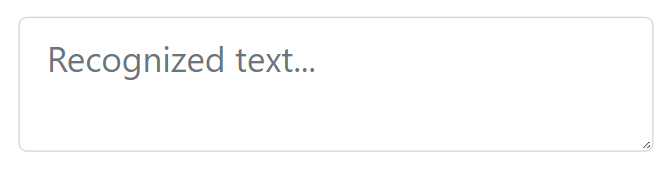
<textarea id="invox-textarea-1" class="form-control" placeholder="Recognized text..."></textarea>
JavaScript
document.addEventListener(INVOX.eventTypeReport.LOGIN_SUCCESS, () => {
    try {
        INVOX.SetTextWriter(INVOX.TextAreaTextWriter)
        const textareaElement = document.getElementById("invox-textarea-1")
        INVOX.SetWriterTarget(textareaElement)
    } catch(error) {
        INVOX.LogError(error.message)
    }
})
Start or stop speech recognition
HTML
<button class="btn btn-danger" onclick="SwitchDictation()">Switch Dictation</button>
JavaScript
function SwitchDictation() {
    try {
        INVOX.SwitchDictation()
    } catch(error) {
        INVOX.LogError(error.message)
    }
}
Log out
HTML
<button class="btn btn-secondary" onclick="DoLogout()">Logout</button>
JavaScript
function DoLogout() {
    INVOX.Logout()
        .then(() => INVOX.LogInfo("Session closed successfully"))
        .catch((error) => INVOX.LogError(error.message))
}