
Test Scenarios
Where can I find these examples?
The full code of these examples is provided in the /samples folder of the SDK release ZIP.
The full code of these examples is provided in the /samples folder of the npm package.
What credentials do I use?
Our support team will provide you with two usernames, each with its respective password. Please use this login information to perform testing in the environment, explore its functionality, and carry out your integration.
If you have any questions or need assistance, please consult our support team at https://support.invoxmedical.com/.
What should I install?
No installation is required to test the Remote Dictation Service scenario as it operates from a dedicated server. However, to test the Local Dictation Service, installation is required on your machine.
You will need to download the service and microphone driver installers from https://sdk.invoxmedical.com/sdkportal28/Downloads.
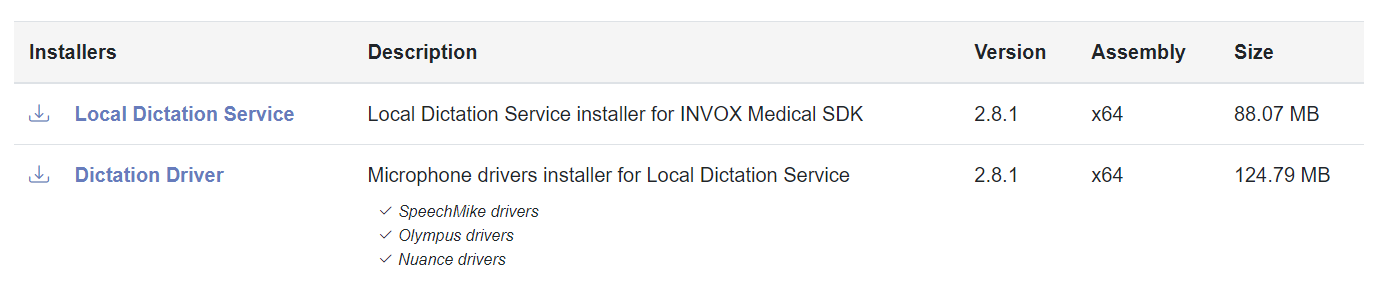
Our support team will provide you with a username to access the SDK Portal to download the trial installers.
What is the purpose of these examples?
These example pages are intended to serve as a guide for your development. They act as a Playground to understand concepts about the Invox Dictation SDK.
Here you can test the connection to the different dictation services, test the available functionalities and access the code to use it in your implementations.
What can I learn?
Test Simple Components
In the Test Simple Components sample you can learn:
- How to use the Invox Dictation SDK.
- How to create your own components, for example:
- Start or stop the recognizer.
- Display user session information.
- Show audio feedback.
- How to write in a HTML TextArea.
Test Quick Integration Samples
In the Test Quick Integration samples you can learn:
- How to implement Quick Integrations: